Clickarr gives your Plex library a channel lineup, a program guide, and a remote. Something is always on. Just change the channel.
On a Fire TV, open Downloader and enter clickarr.net/apk for the release, or clickarr.net/nightly for the daily build. After that, Clickarr updates itself from Settings, About.
Media servers make you browse, pick, and press play every single time. Clickarr brings back the part of television that was actually good: turning it on and seeing what's on.
Open app → browse library → choose title → choose episode → play
Open app → something is already playing → change channels → watch
Build channels out of what you already own. Give each one a number, a name, and a schedule. Then tune in.
Channel 10 · Sitcoms

 7:00 PM  The Office
 7:30 PM  Parks and Recreation
 8:00 PM  Seinfeld
 8:30 PM  Community

Tune in at 7:17 PM and you land
17 minutes into The Office.
Leave, come back at 7:52, and
Parks and Rec is 22 minutes in.
Screens from the app as it stands, taken on the Android TV emulator by the test suite on every push. The same build runs on Fire TV Sticks every day.
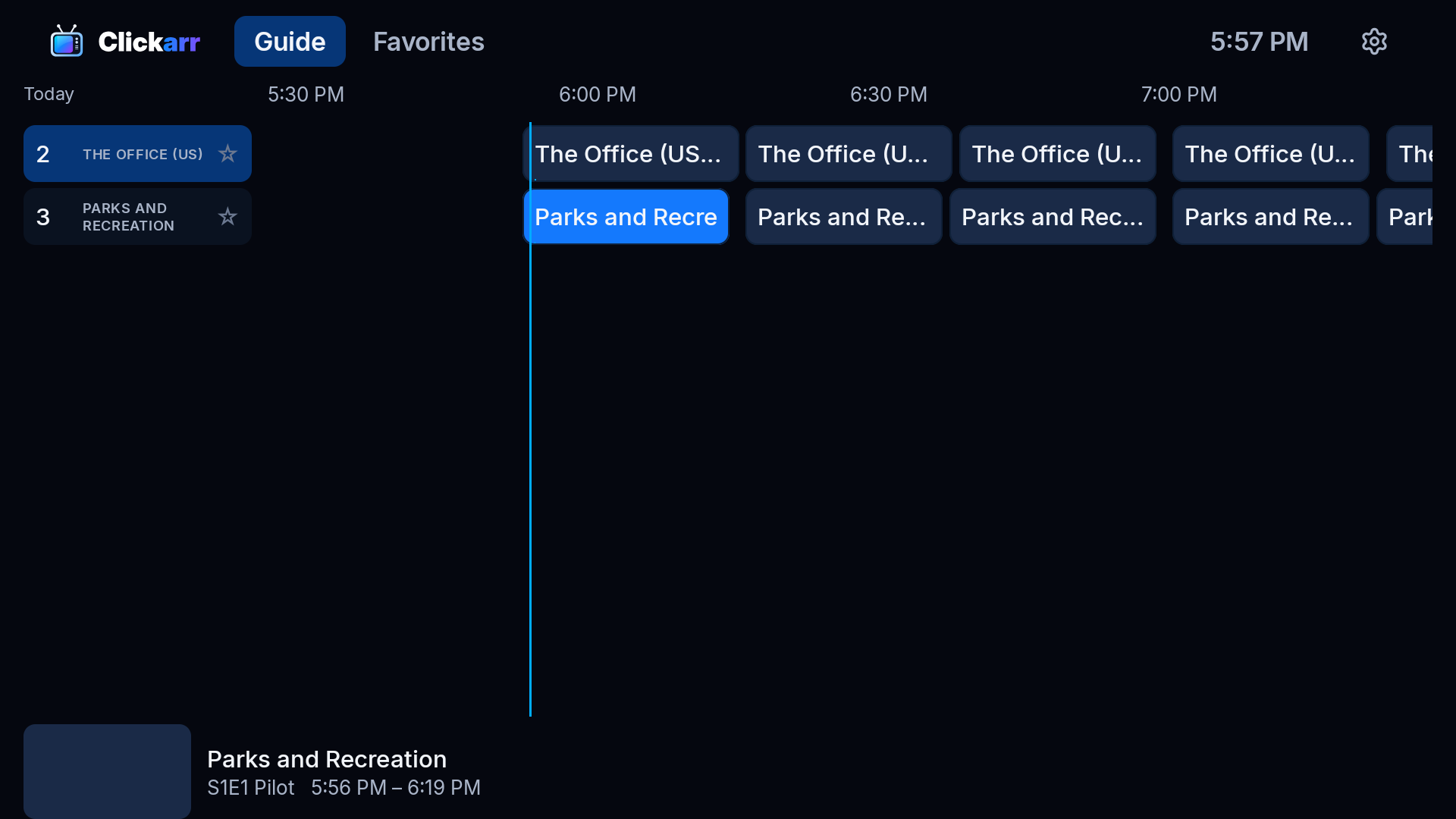
Two hours across, a now-line, a preview card with artwork and synopsis for the focused program, and stars on the channel column for favorites. Up and down follow the time column, OK tunes in.
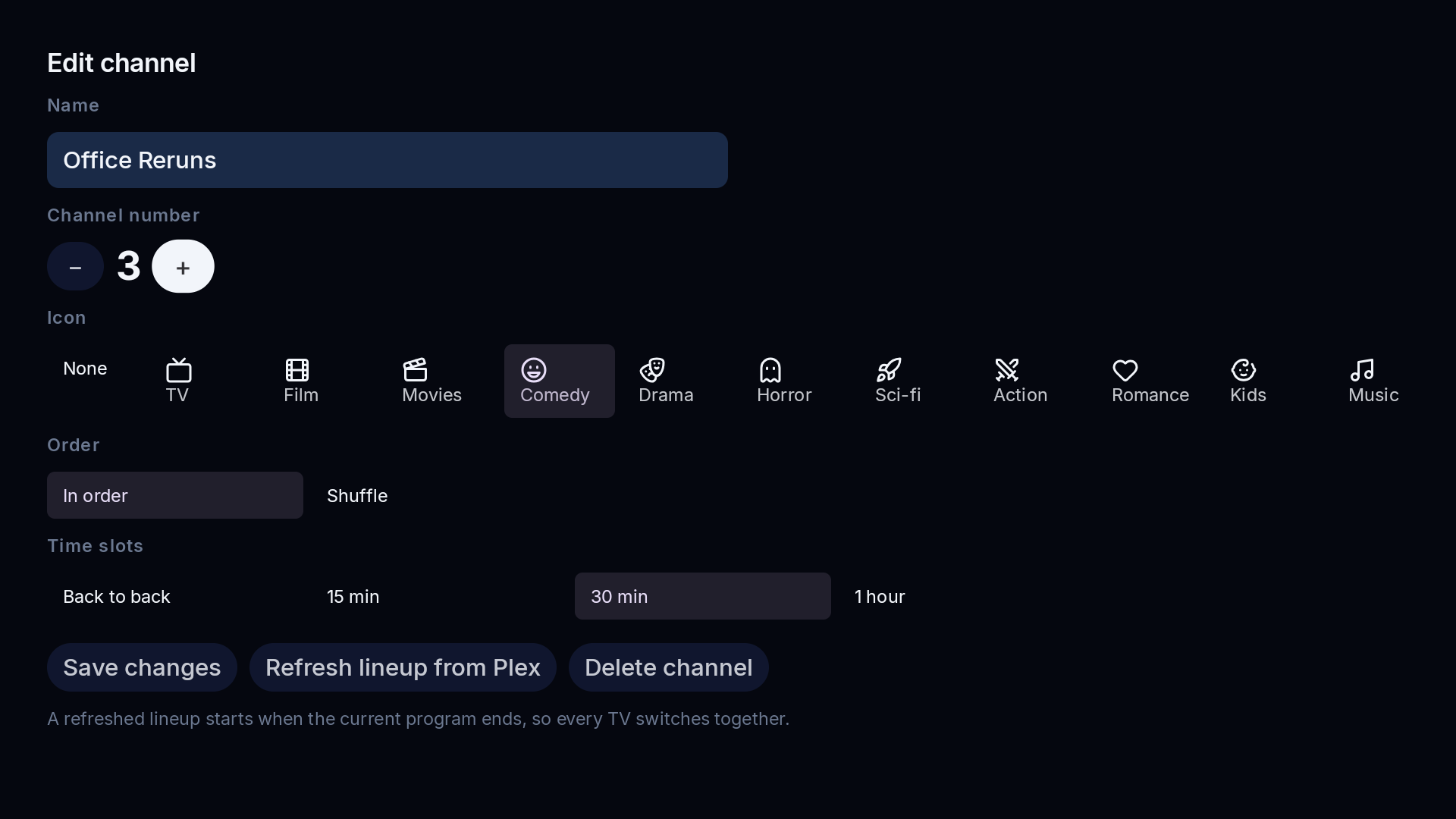
Build a channel from shows, a whole library with genre and decade filters, a collection, or a playlist. In order or shuffled, with two or three episodes of a show in a row if you like, back to back or on the half hour.
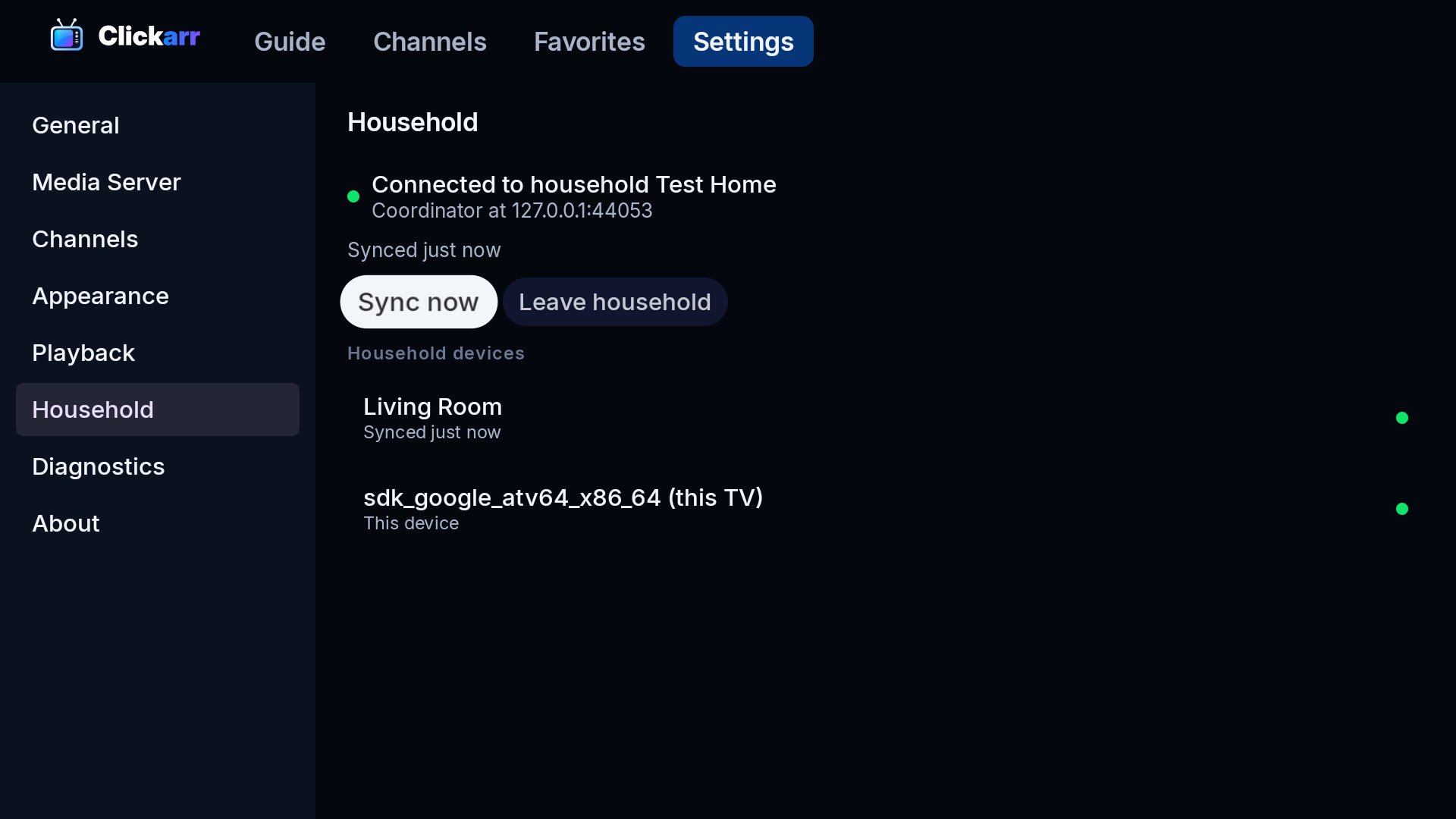
Several TVs share one lineup and agree on the schedule over your own Wi-Fi, paired with a PIN over TLS. No extra server, no cloud account. Or sync through Google Drive for TVs in different homes.
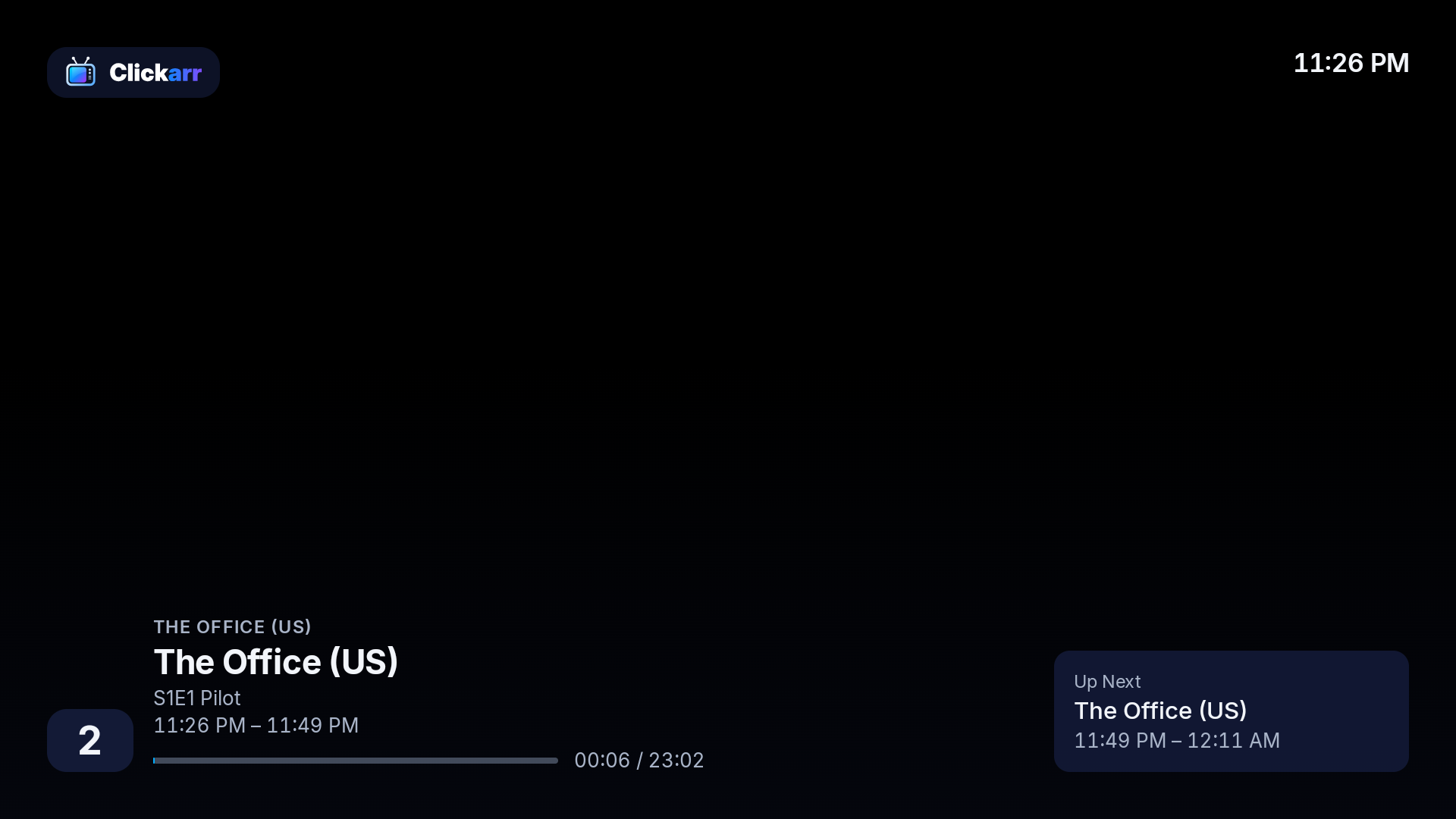
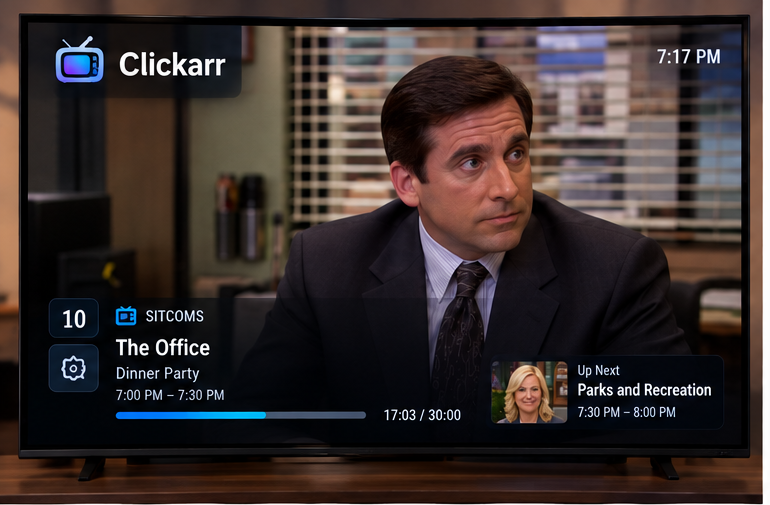
Tune in and you are mid-episode, like television. The overlay shows the channel, the program, where you are in the slot, and what is up next.
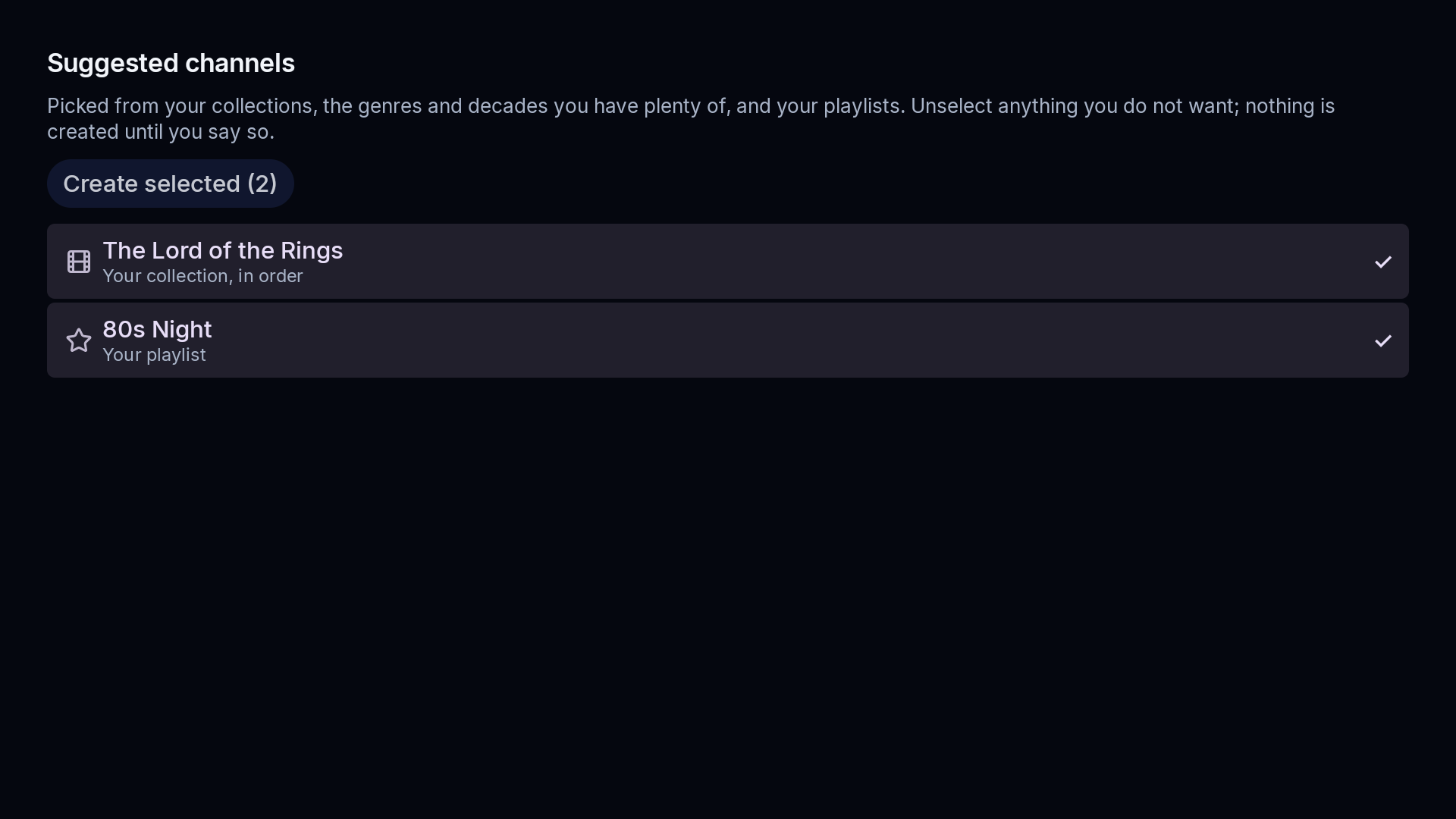
Clickarr reads your library once and proposes a starting lineup the way you would make it by hand: a rerun channel for each show you have the most of, your collections, the genres and decades you have plenty of, a shuffled movie channel, and a playlist. Untick what you do not want; nothing is created until you say so.
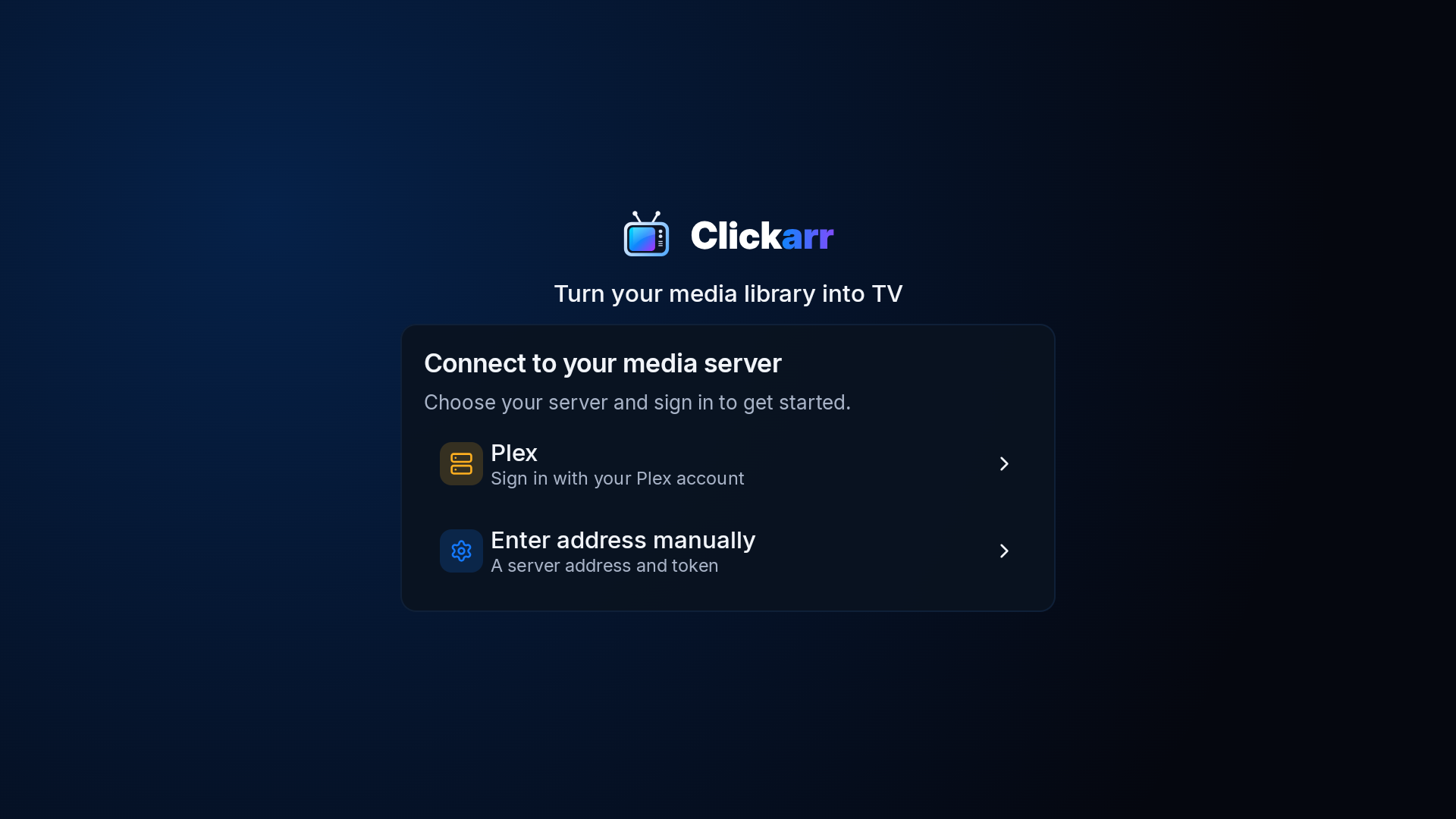
Sign in to Plex with a code on your phone, or type an address and token. Your sign-in stays on the TV, in its own Keystore, and is never synced.
Also in the nightly: a mini-guide inside the player, numeric channel entry, four themes and three sizes, a clock with automatic network time and a time zone, a settings lock code, a Favorites tab you can hide, episodes marked watched in Plex only when you actually sat through them, and lineups that re-read your library once a day so new episodes join on their own.
A single Android app that talks straight to your media server. The decisions that shape it:
Clickarr never proxies media. Your server keeps doing direct play or transcoding; Clickarr asks for the right item at the right offset.
A channel is a function from time to program. Every TV computes the same answer from the same lineup, so nothing drifts and nothing needs syncing in real time.
TVs pair over the LAN with a PIN, one coordinating and the others caching the lineup. Or choose Google Drive sync instead, for backup and for TVs in different homes on the same Plex server.
Each TV signs in to Plex itself. Household sync shares channels, never credentials.
No Google Play Services anywhere. Sideload the APK on a Fire Stick and it just runs.
Clean-room, permissively licensed, built in public with architecture decisions written down. Release builds are reproducible and checked twice in CI.
The name is a nod to Sonarr, Radarr, and the rest, and so is the attitude: self-hosted, open source, opinionated, and built to automate the tedious part so you can stop tending your library and start watching it. Clickarr suggests channels from what you own, keeps every TV on the same schedule without a server in the middle, and writes its decisions down in public. It is an independent project, not affiliated with or endorsed by the Servarr team.